


.png?width=60&height=60&name=AI%20Copilot%20logo%20(mega%20menu).png)


.png?width=29&height=29&name=twitter%20(1).png)
The 2026.16 release of NiCE Cognigy extends Real-Time Queue Notifications to the Genesys Cloud Open Messaging Handover Provider, giving end users live visibility into wait times until a human agent becomes available. This release also brings additional control over Deepgram speech configuration and Voice Preview.
Live Wait-Time Visibility for Genesys Cloud Open Messaging
Real-Time Queue Notifications — previously available for Cognigy Live Agent and Salesforce MIAW — now extends to the Genesys Cloud Open Messaging Handover Provider. When an end user is transferred to a human agent through this integration, they can receive live estimated wait-time updates directly in the conversation instead of waiting without any signal on how long the handover will take.
Why It Matters
Handovers are a common point of friction in CX: end users lose visibility into how long they'll be waiting, which drives frustration and abandonment. Extending queue notifications to Genesys Cloud Open Messaging closes that gap for one of the most widely used contact center platforms.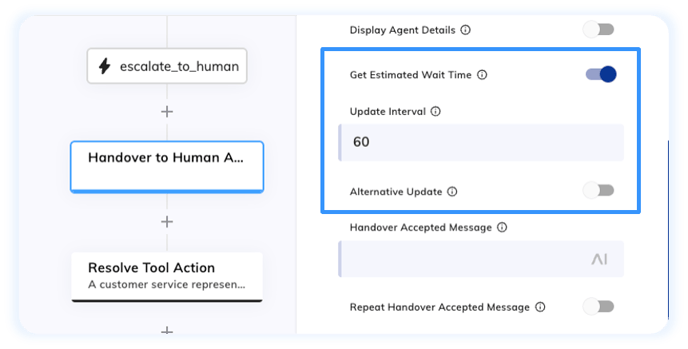
Region Selection for Deepgram Voice Preview
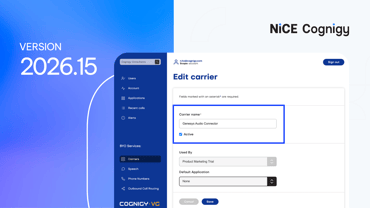
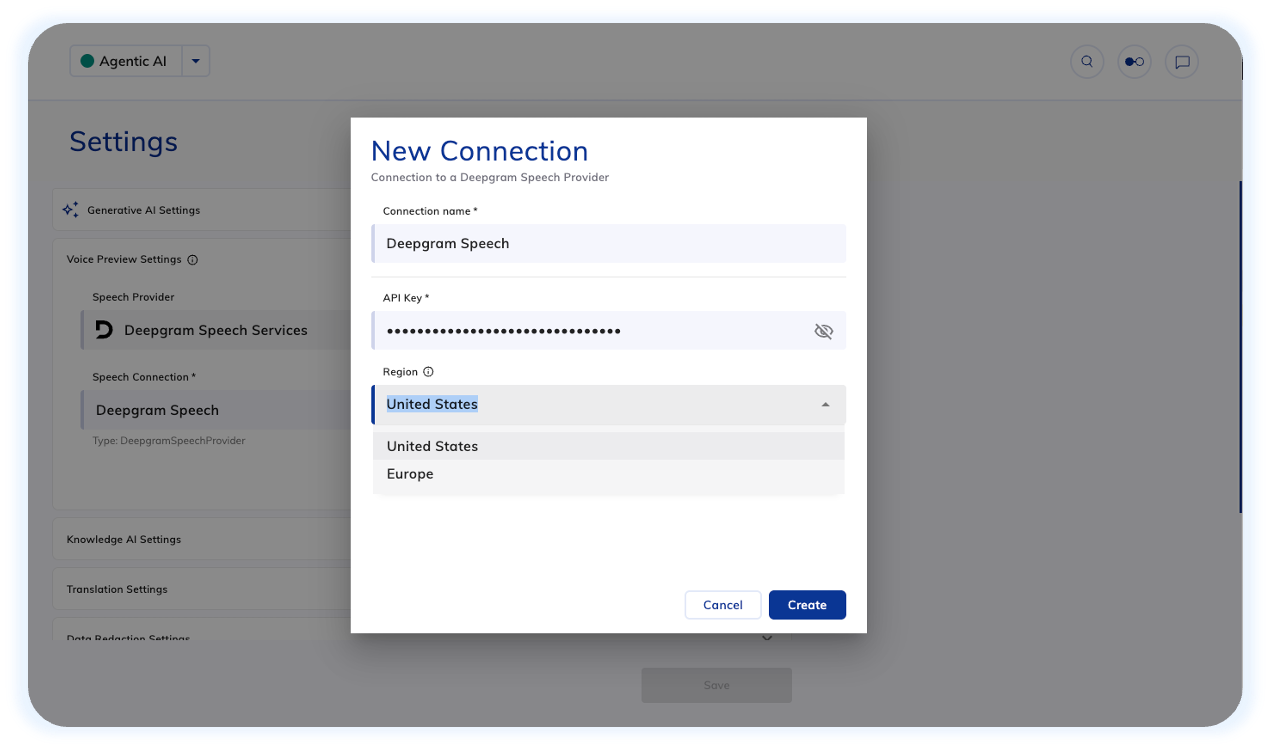
Voice Preview settings for the Deepgram speech provider now include a Region option, letting you choose whether call audio is processed through Deepgram's United States or Europe endpoint when testing voice output in the Flow editor or Interaction Panel.
Why It Matters
This lets you preview voice output against the same regional endpoint your production traffic uses, so latency perception and what you hear in testing more closely matches what callers experience live. Additionally, teams with data residency or compliance requirements can keep test audio within a specific geography.
Extended Control over Deepgram Speech Configuration
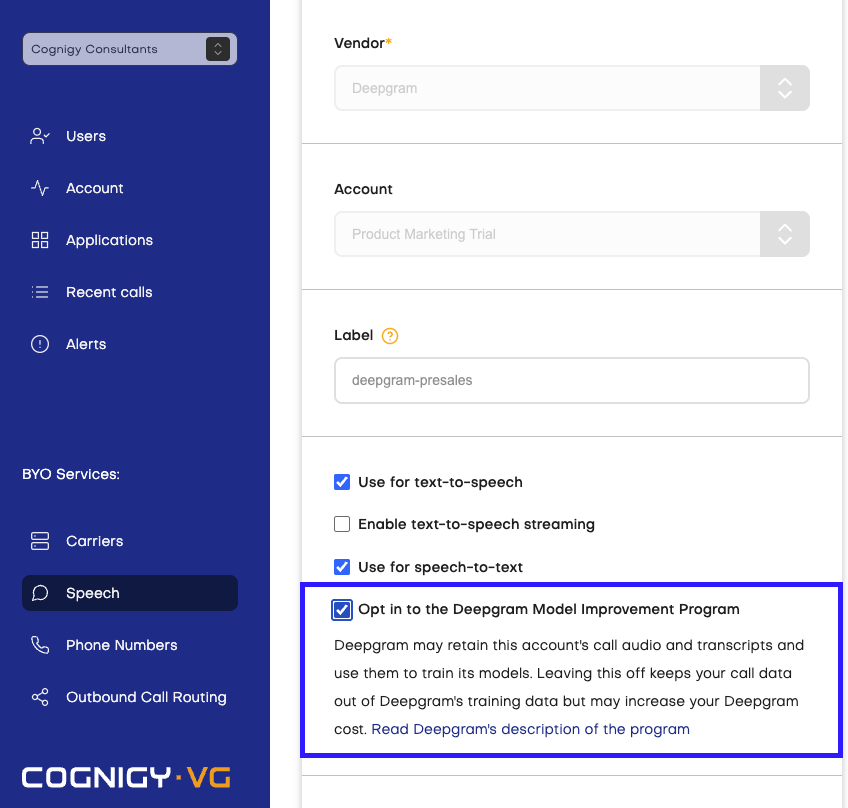
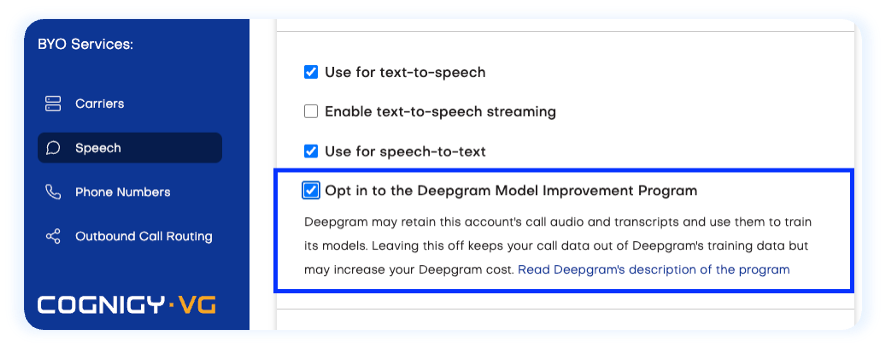
Cognigy Voice Gateway now lets you opt in to the Deepgram Model Improvement Program for both Deepgram and Deepgram Flux, available under Speech > Speech Service in the Voice Gateway Self-Service Portal. Opting in allows Deepgram to use call audio and transcripts to improve its models and may reduce per-request costs; customers who prefer to keep call data private can opt out at any time.
Why It Matters
This gives teams a way to weigh cost savings against data-handling preferences on their own terms: high-volume deployments may benefit most from the lower per-request pricing, while teams in regulated industries can leave the setting off to keep call data out of speech model training pipeline.
Other Improvements
Cognigy.AI
- Standardized the Endpoints-specific API authentication key header for the REST and Webhook Endpoints. Now, use the
x-cognigy-endpoint-keyrequest header for both Endpoints. The legacyx-rest-endpoint-keyandx-webhook-keyheaders are still accepted for backward compatibility, butx-cognigy-endpoint-keytakes precedence if both are provided - Added the
isMaskedfield to the GoalEvents collection for the Cognigy.AI OData endpoint 2.4 - Added the
POST /v2.1/projects/{projectId}/logs/packageandGET /v2.1/projects/{projectId}/logs/package/{logsFileId}/downloadAPI methods to package log entries into a JSON file you can download. These API methods allow you to avoid paginating through logs when using theGET /v2.1/projects/{projectId}/logsAPI method. The methods are available to some customers via theFEATURE_PACKAGE_LOGSfeature flag. Contact Cognigy technical support to activate them for your installation - Removed the beta label from NiCE CXone handover providers. They are now displayed as generally available
- Increased the default maximum upload size for UI uploads of Snapshots and Packages to 8 GB. Direct Cognigy.AI API upload limits remain unchanged
- Increased the default size limit for the Context object from 65 kB to 256 kB