


.png?width=60&height=60&name=AI%20Copilot%20logo%20(mega%20menu).png)


.png?width=29&height=29&name=twitter%20(1).png)
NiCE Cognigy's release 2026.12 strengthens security for the MCP Server Endpoint with OAuth 2.0 support and introduces the new Conversation Analyzer for automated topic discovery and AI quality evaluation.
OAuth 2.0 Support for the MCP Server Endpoint
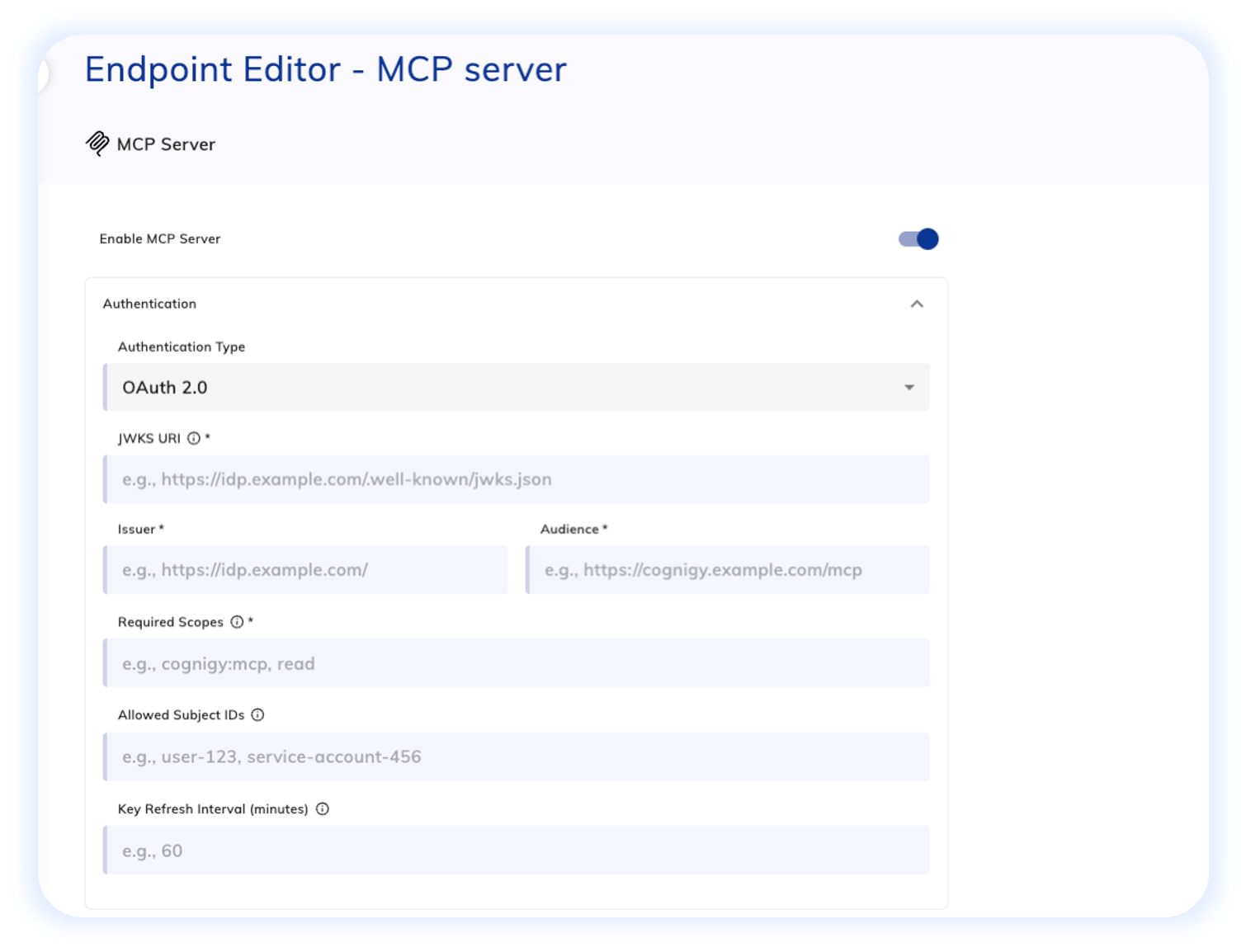
The MCP Server Endpoint exposes Tools from your Cognigy AI Agents to external AI applications, including desktop AI assistants or custom MCP clients. The new OAuth 2.0 support allows only authenticated and authorized clients to discover and invoke those Tools.
With this security enhancement, you can restrict MCP endpoint access to specific applications or service accounts, manage and update access without changing the endpoint URL, and align tool exposure with the same access control policies you apply to the rest of your infrastructure.
To set this up, configure OAuth 2.0 on your MCP Server Endpoint settings. Client applications will need to obtain a token from your authorization server and include it in requests to the endpoint.
Conversation Analyzer: Automated Topic Discovery and AI Quality Evaluation
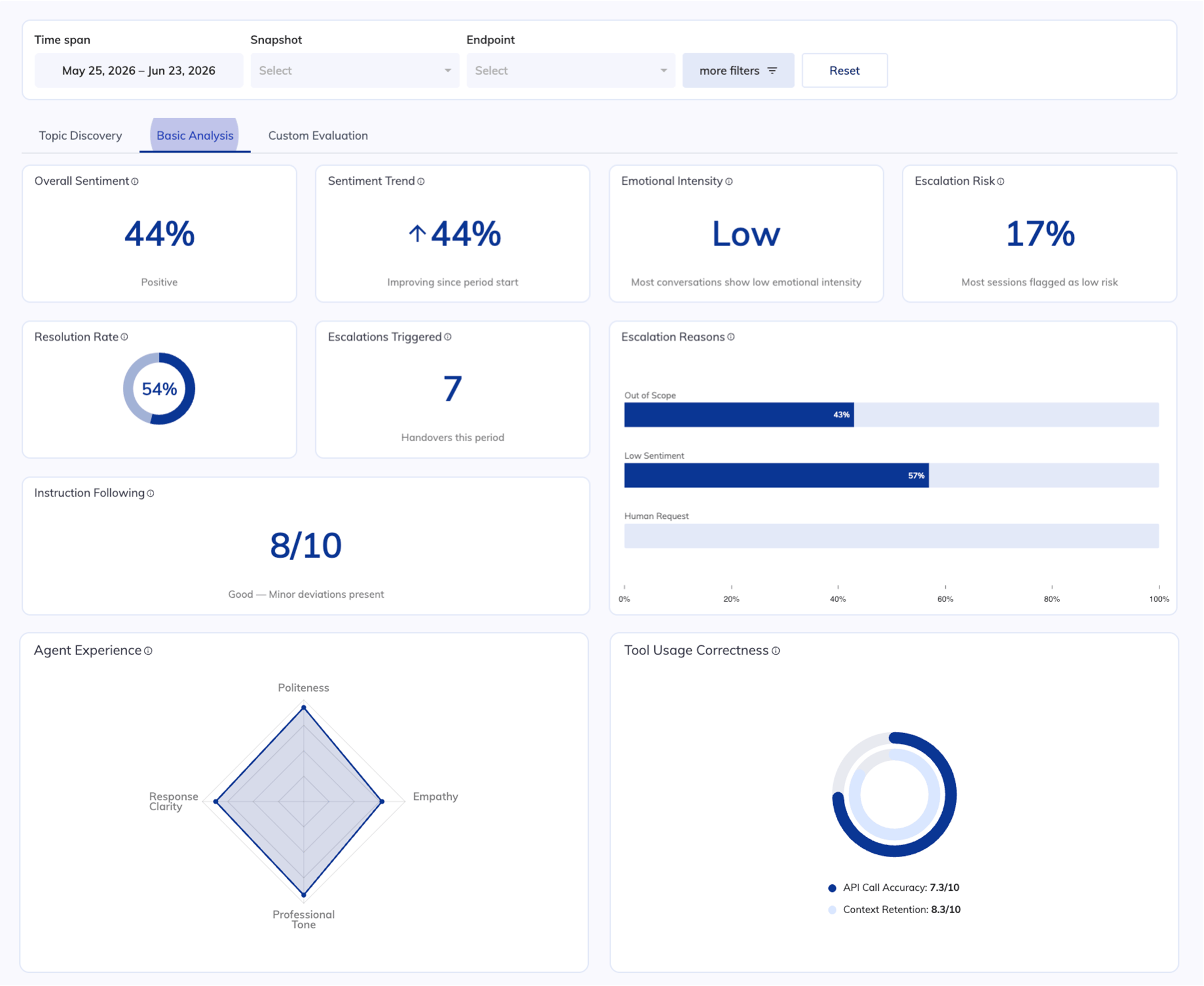
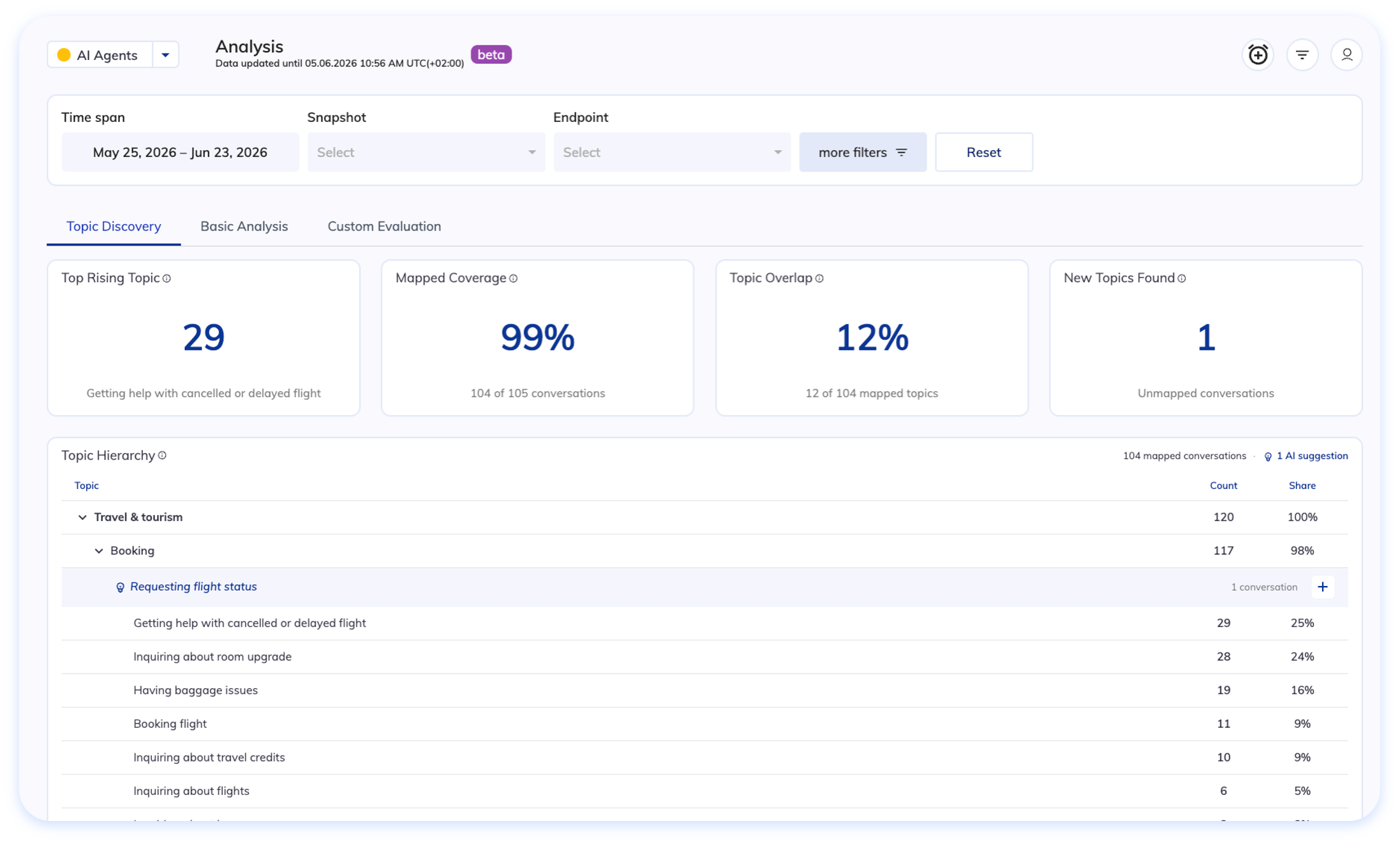
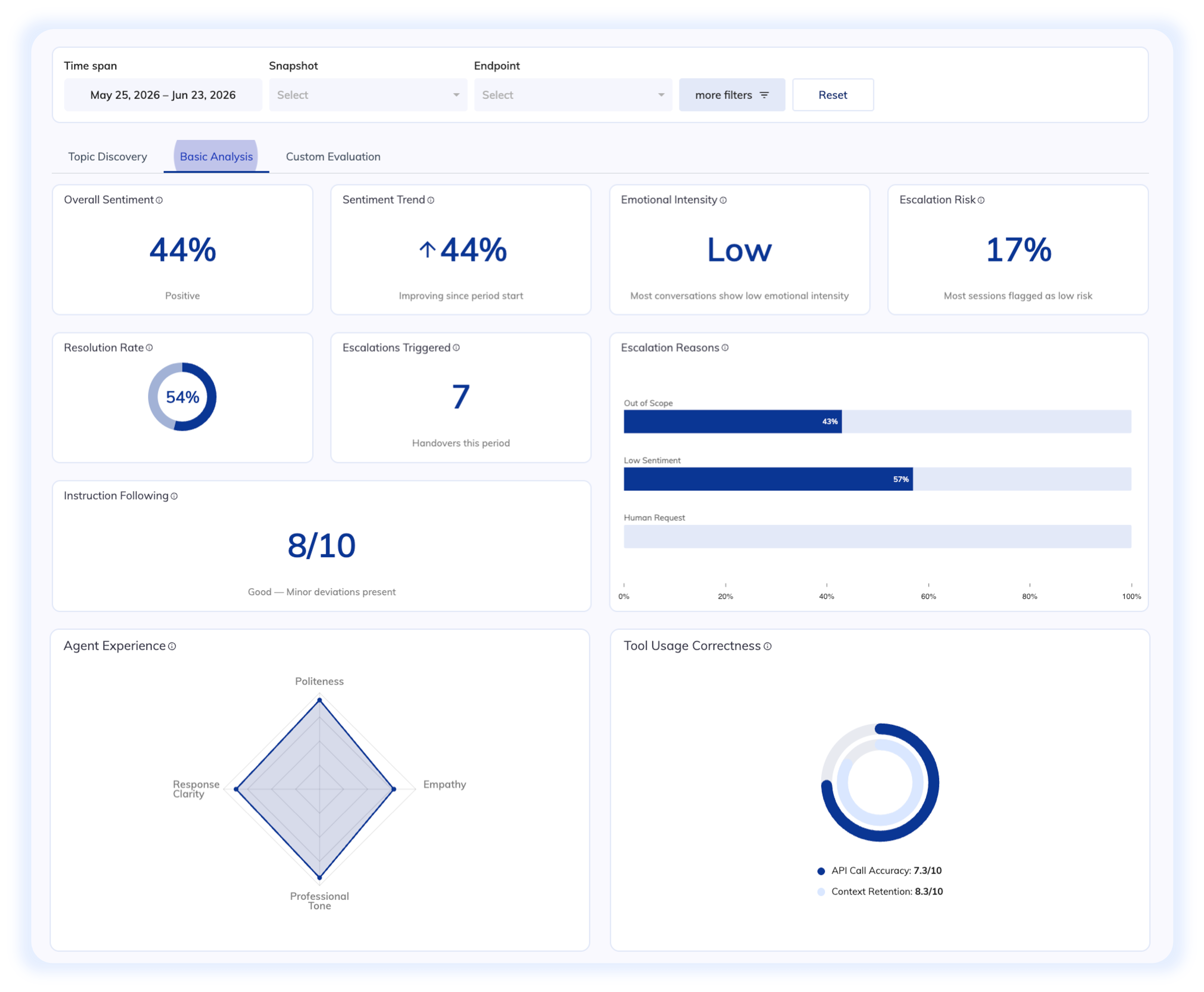
Conversation Analyzer is a new quality evaluation tool in Cognigy Insights that applies LLM-based qualitative analysis to your production conversations. It evaluates every transcript to uncover why customers are reaching out while assessing the quality of your AI Agent interactions, capturing nuanced behaviors like instruction-following, empathy, response clarity, and compliance handling that traditional metrics can't measure.
Insights are surfaced across three dedicated dashboards:
- Topic Discovery identifies what customers are asking about without manual tagging.
- Basic Analysis scores conversations across built-in criteria sets covering sentiment, containment, AI behavior, and overall experience quality.
- Custom Evaluation measures conversations against your own business-specific criteria and compliance requirements.
Key Benefits:
- Replace manual spot-checks with holistic QA: Define criteria once and Analyzer scores conversations automatically at scale, eliminating time-consuming manual transcript reviews.
- Catch issues earlier: Scheduled runs surface declining sentiment trends, rising escalation risk, or drops in instruction-following before they become visible in support volumes.
- Consistent evaluation: Unlike manual reviews, Analyzer applies the same criteria to every conversation, every run, removing reviewer bias and inconsistency.
- Identify coverage gaps: Find topics your AI Agent doesn't cover and expand its scope accordingly.
How It Works
Getting started with Conversation Analyzer requires just a few configuration steps:
- Configure the LLM model: In your Project, go to Manage > Settings > Generative AI Settings and select the LLM to use for Conversation Analyzer. If no model is selected, the default model is used.
- Configure the analysis: In Insights > Configuration, define your evaluation topic, enable the Basic Analysis criteria you want to measure, and optionally create custom criteria tailored to your business needs.
- Run the analysis: Analyze conversations on demand or configure the Analysis Scheduler to evaluate new conversations automatically on a daily or weekly basis.
- Review the results: Explore the dashboards on the Analysis page
Other Improvements
Cognigy.AI
- Added support for Gemini’s
gemini-3.5-flashandgemini-3.1-flash-litemodels. These models allow for higher-performance AI capabilities across different use cases. - Added the Custom Attributes toggle to the NiCE CXone settings section in the Question Node, Handover to Human Agent Node, and Handover to Human Agent tool
- Removed the Set Up Cognigy Live Agent section from the Project creation wizard
- Extended the Node search to include expressions inside If-condition fields, so variables and literals used in If conditions can now be discovered via the search box
Cognigy Voice Gateway
- Speechmatics is now supported in Click To Call. Configure Speechmatics in your Click To Call application in the Voice Gateway Self-Service Platform to apply this speech provider to your voice widget.
Cognigy Insights
-
Renamed the Transcript explorer to Conversations explorer to better represent the user experience in the scope of the Conversation Analyzer.