

.png?width=60&height=60&name=AI%20Copilot%20logo%20(mega%20menu).png)


.png?width=29&height=29&name=twitter%20(1).png)
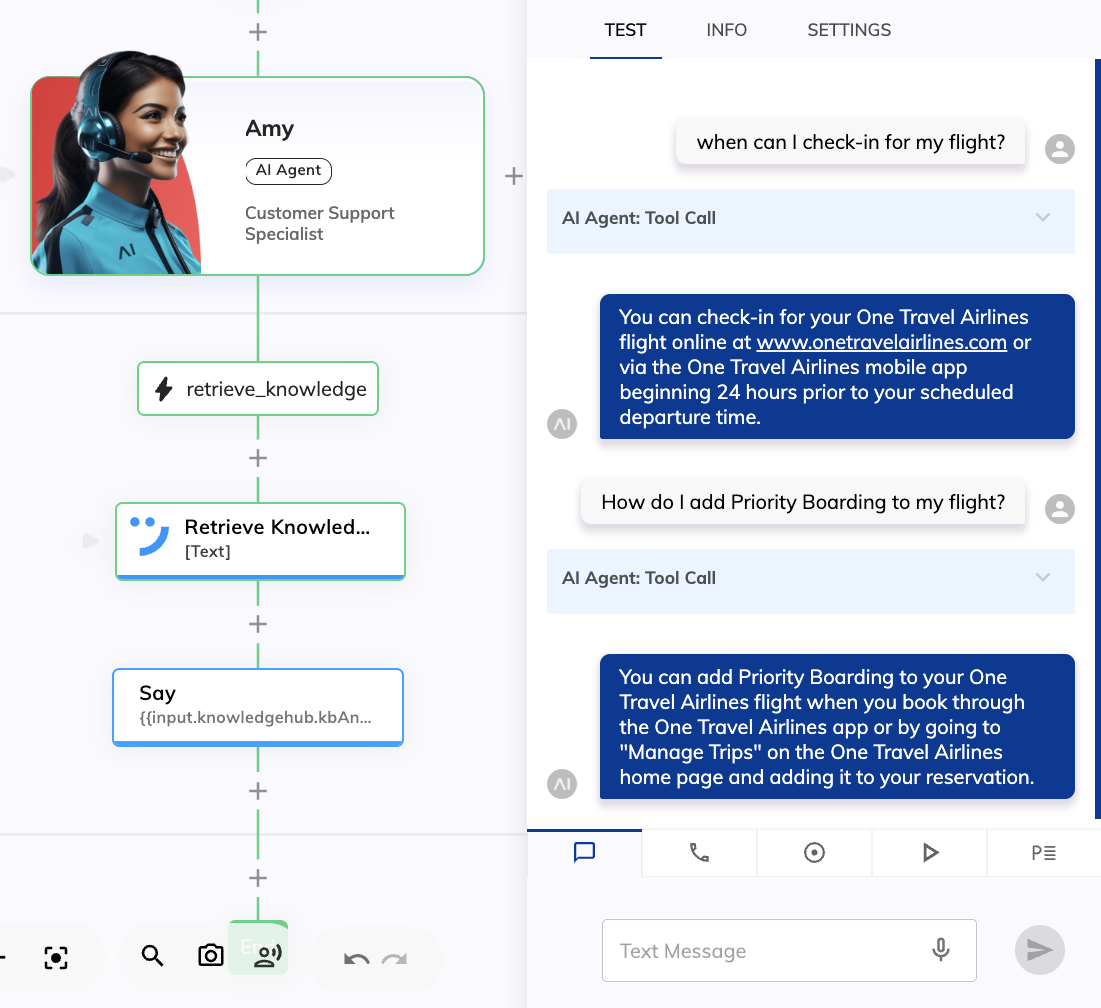
The 2026.8 release of Cognigy.AI ships native integration with NiCE Knowledge Hub and new improvements to the NiCE CXone handover experience.
Enable AI Agents to Tap into NiCE Knowledge Hub
Accurate, governed knowledge is what separates a reliable AI Agent from one that guesses. For many CXone customers, that knowledge already lives in NiCE Knowledge Hub, a centralized knowledge layer with its own RAG pipeline, storage, and system connectors.
With the new Retrieve Knowledge Node, Cognigy AI Agents can now tap directly into that pipeline at runtime, inheriting its content structure, division-based visibility, and the full breadth of connected sources.
This option is ideal when:
-
Your enterprise knowledge sources are already integrated and organized inside CXone
-
Governance, approval workflows and version control are handled in upstream content systems
NiCE Knowledge Hub offers a broad set of out-of-the-box connectors, including Salesforce, ServiceNow, SharePoint, Microsoft Dynamics 365, WordPress, Zendesk, NiCE Expert, and many others. Knowledge bases sync daily and can be triggered manually on demand to ensure up-to-date content.
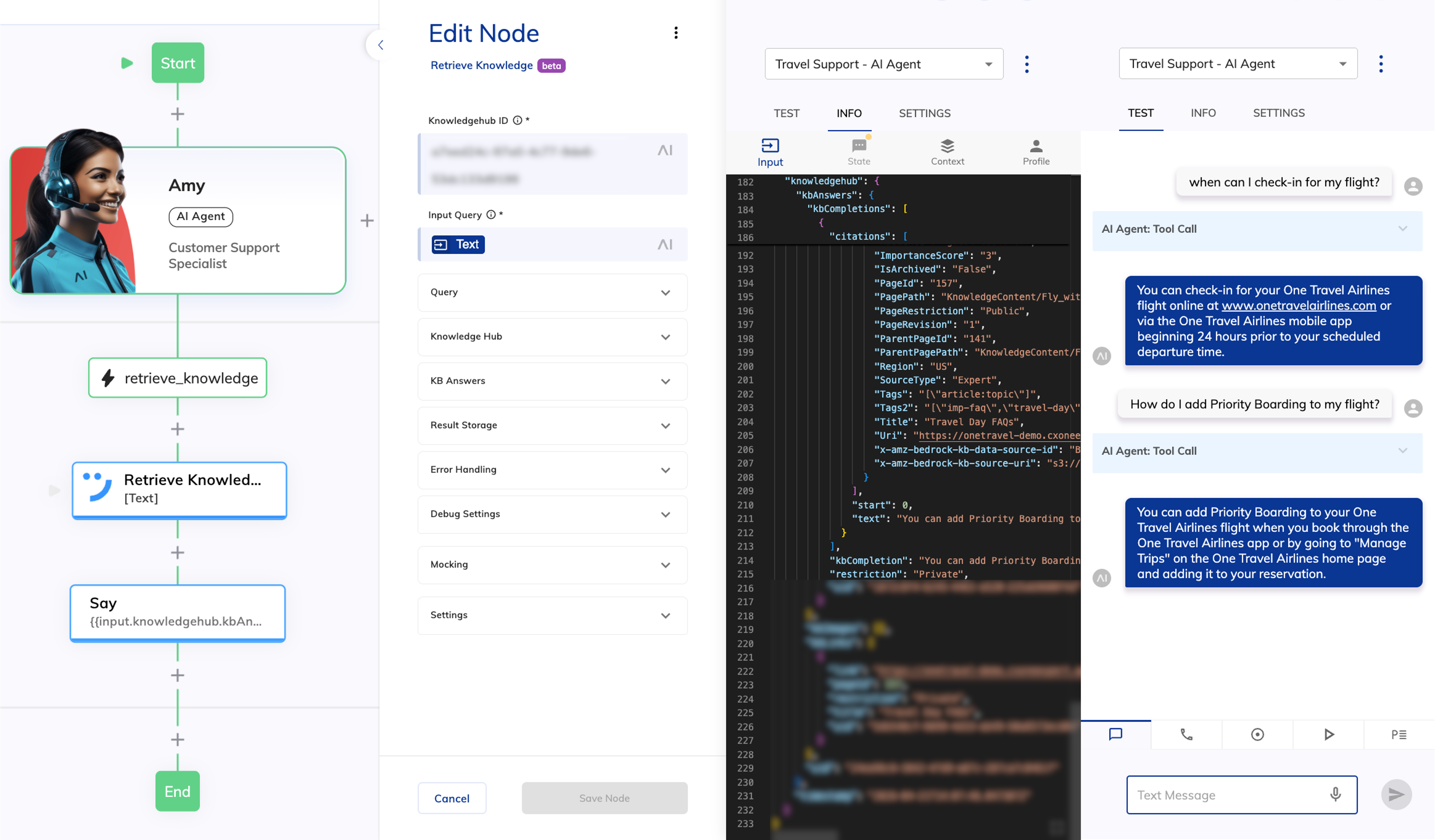
Note that the Retrieve Knowledge Node is supported only in Cognigy.AI installations hosted in the following NiCE CXone environments:
- cognigy-na1.nicecxone.com
- cognigy-na3.nicecxone.com
- cognigy-ca1.nicecxone.com
- cognigy-uk1.nicecxone.com
- cognigy-au1.nicecxone.com
- cognigy-jp1.nicecxone.com
Other Improvements
Cognigy.AI
- For the NiCE CXone handover provider:
- Added the Display Agent Details toggle to the Handover to Human Agent and Question Nodes. This toggle allows you to display the human agent’s name and profile image in Webchat
- Added support for the On Resolve Options setting in the Handover to Human Agent Node
- Added support for bi-directional typing indicator in Webchat v3
- Added detection of the
ONRELEASEaction to determine when a human agent ends the conversation
- Included legacy API keys on the My Profile page with the Legacy tag
- Improved error response text for failed Create and Update handover provider API requests
- Improved the detection to determine when human agents end conversations on Salesforce MIAW by using the
CONVERSATION_SESSION_STATUS_CHANGEDevent instead ofCONVERSATION_PARTICIPANT_CHANGED
For further information, check out our complete Release Notes here.